
Finance apps can make money management easier, especially for beginners.
A finance app may help you track spending, create a budget, check account balances, save money, monitor bills, compare financial products, or manage payments.
However, not every finance app is the right choice for every person.
Some apps are free, while others charge monthly fees. Some apps require bank account linking. Some collect personal data. Some have useful tools, while others may offer features you do not really need.
Before signing up for a finance app, it is important to review the details carefully.
This guide explains what beginners should check before using a finance app.
Why Finance Apps Can Be Useful
Finance apps can be useful because they help organize money information in one place.
Instead of checking several accounts separately, some apps can show spending, balances, bills, savings goals, and transactions together.
A finance app may help you:
- Track spending
- Create a monthly budget
- Review subscriptions
- Set savings goals
- Receive bill reminders
- Monitor account balances
- Check spending categories
- Get alerts for transactions
- Understand money habits
- Plan financial goals
For beginners, a simple finance app can make personal finance feel less confusing.
However, the app should make money management easier, not more complicated.
Know What the App Is For
Before signing up, understand what the app is designed to do.
Different finance apps have different purposes.
Some apps focus on budgeting.
Some focus on banking.
Some focus on saving.
Some focus on investing.
Some focus on credit monitoring.
Some focus on bill tracking.
Some focus on loan or credit card comparison.
Before downloading or signing up, ask:
- What problem am I trying to solve?
- Do I need help tracking spending?
- Do I need bill reminders?
- Do I need budgeting tools?
- Do I need savings tools?
- Do I need credit monitoring?
- Do I need account alerts?
If you do not know why you need the app, it is easier to sign up for something you will not use.
Choose an app that matches your real financial need.
Check Fees and Subscription Costs
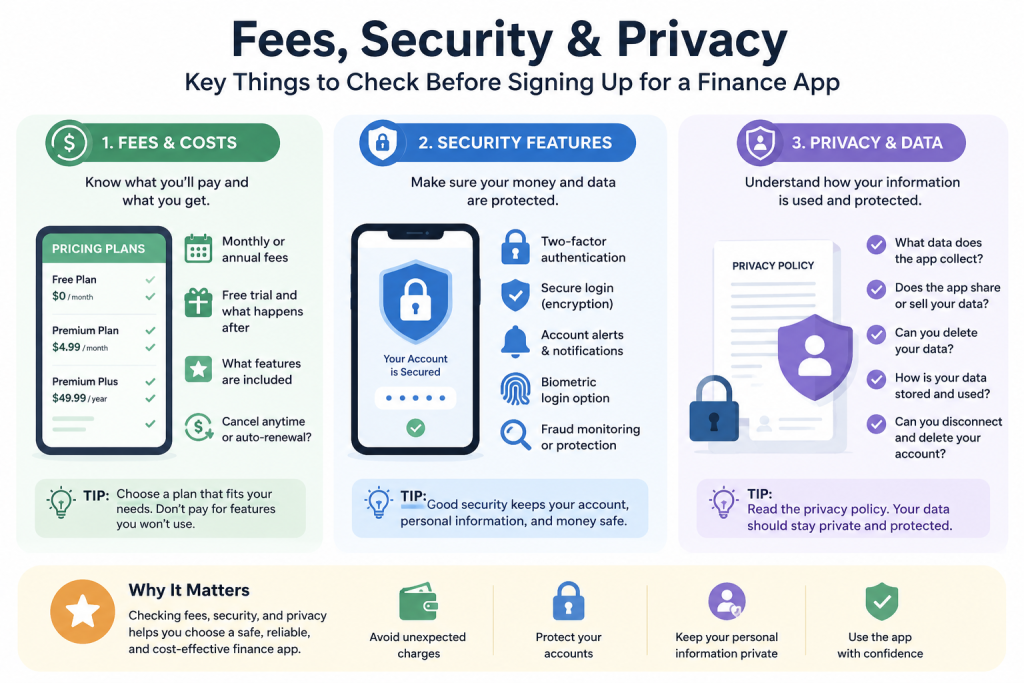
Fees are one of the first things to check.
Some finance apps are free. Others charge monthly or annual subscription fees. Some apps offer free basic features but charge for premium tools.
Common costs may include:
- Monthly subscription fees
- Annual subscription fees
- Premium plan fees
- Transfer fees
- Instant withdrawal fees
- Account management fees
- Ad-free upgrade fees
- Credit monitoring fees
- Financial coaching fees
- Early access fees
Before signing up, check whether the app has a free trial.
Also check what happens after the free trial ends.
Some apps automatically charge you if you forget to cancel before the trial ends.
Ask yourself:
- Is the app free?
- What features are free?
- What features require payment?
- How much does the paid plan cost?
- Is the cost worth it for my situation?
- Can I cancel easily?
A finance app should help your money, not quietly become another unnecessary expense.
Review Security Features
Security is very important when using finance apps.
A finance app may involve sensitive information, such as your name, email, phone number, bank account connection, card information, spending data, or financial habits.
Before signing up, check whether the app has basic security features.
Look for:
- Two-factor authentication
- Secure login
- Account alerts
- Device verification
- Biometric login
- Data encryption
- Fraud monitoring
- Password protection
- Session timeout
- Card lock features
- Official app store availability
Avoid downloading finance apps from unknown websites or unofficial links.
Use official app stores or the company’s official website.
If an app does not clearly explain its security features, be careful.
Understand Privacy and Data Sharing
Privacy is another important issue.
Some finance apps collect and use personal information.
This may include account information, transactions, spending habits, income details, location data, device data, or app activity.
Before signing up, review the privacy policy.
Look for answers to these questions:
- What information does the app collect?
- Does the app share data with third parties?
- Does the app sell or use data for advertising?
- Can you delete your data?
- Can you disconnect accounts?
- How long does the app keep your information?
- What happens if you close your account?
Privacy policies can be long, but beginners should still look for the main points.
Be careful with apps that are unclear about how they use your data.
Be Careful With Account Linking
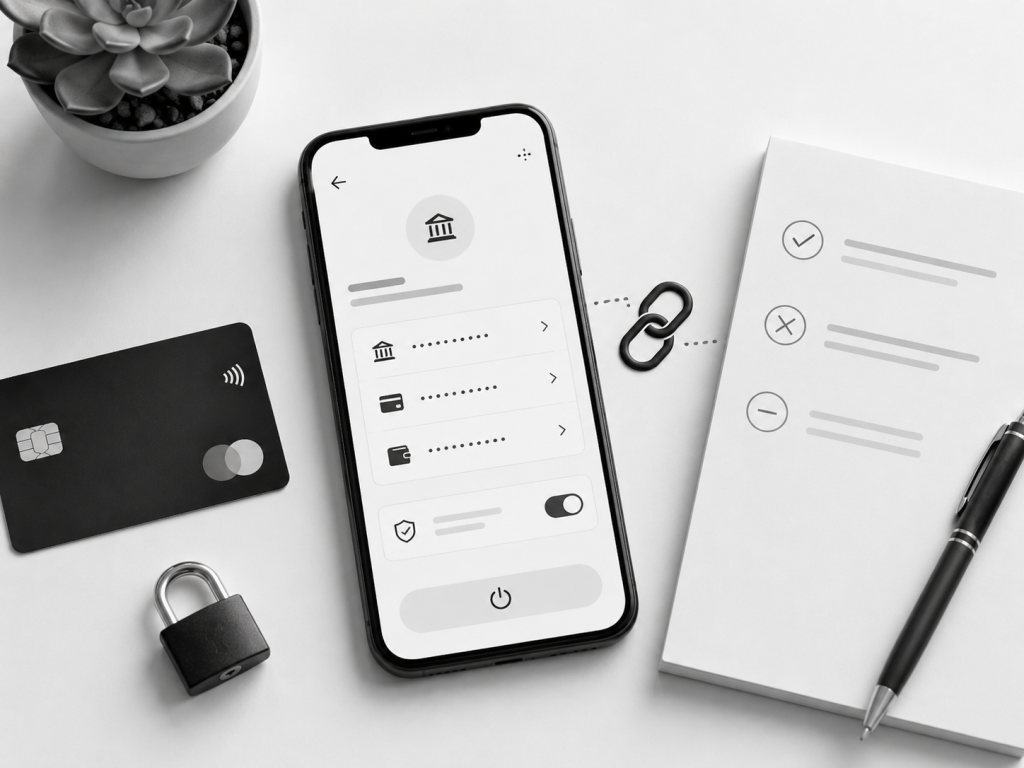
Many finance apps ask you to link a bank account, credit card, or other financial account.
Account linking can make budgeting and tracking easier because the app can automatically pull transactions.
However, linking accounts also means giving the app access to sensitive financial data.
Before linking accounts, ask:
- Why does the app need access?
- What accounts do I need to connect?
- Can I use the app without linking accounts?
- Can I disconnect later?
- How is account access protected?
- What data can the app see?
- Does the app use a trusted connection provider?
Only link accounts if you understand why it is needed and feel comfortable with the app’s security and privacy policies.
If you are not comfortable linking accounts, look for an app that allows manual tracking.
Compare Free and Paid Features
Many finance apps offer both free and paid versions.
The free version may include basic tools, while the paid version may include advanced features.
Before paying, compare what you actually get.
Free features may include:
- Basic budgeting
- Manual expense tracking
- Simple spending categories
- Account balance view
- Basic alerts
- Limited reports
Paid features may include:
- Automatic tracking
- Advanced reports
- Credit monitoring
- Bill negotiation tools
- Financial coaching
- Custom categories
- Subscription tracking
- Multiple account connections
- Export tools
- Ad-free experience
A paid plan is not always necessary.
For beginners, free tools may be enough.
Only pay for features that you will actually use.
Read Reviews Carefully
Reviews can help you understand how an app works in real life.
Before signing up, read reviews from multiple sources.
Look for patterns.
One bad review may not mean the app is bad. But repeated complaints can be a warning sign.
Pay attention to reviews about:
- Unexpected fees
- Difficult cancellation
- Poor customer support
- Login problems
- Account connection issues
- Incorrect transaction tracking
- Privacy concerns
- App crashes
- Confusing features
- Slow refunds
- Billing problems
Also check whether the app company responds to customer complaints.
An app with many unresolved complaints may not be the best choice for beginners.
Check Customer Support
Customer support matters because financial apps can involve important money information.
You may need help with login issues, billing problems, account linking, incorrect transactions, subscription cancellation, refunds, or security concerns.
Before signing up, check how customer support works.
Look for:
- Email support
- Live chat
- Phone support
- Help center articles
- Secure messaging
- Support hours
- Response time
- FAQ pages
- Cancellation instructions
Some apps offer fast support only to paid users.
Others may rely mainly on help articles.
For beginners, clear customer support is important.
Understand Cancellation Rules
Before signing up for a finance app, understand how to cancel.
This is especially important if the app offers a free trial or paid subscription.
Check:
- How do I cancel?
- Can I cancel inside the app?
- Do I need to cancel through the app store?
- Will I be charged after the free trial?
- Are refunds available?
- What happens to my data after cancellation?
- Can I delete my account?
- Can I disconnect linked accounts?
Some people sign up for free trials and forget to cancel.
This can lead to unwanted charges.
Set a reminder before the trial ends if you are testing a paid app.
Review App Permissions
Finance apps may request permissions on your phone or device.
Some permissions may be necessary, while others may not be.
Review permissions carefully.
An app may ask for access to:
- Notifications
- Contacts
- Location
- Camera
- Storage
- Biometric login
- Device information
Some permissions may make sense.
For example, camera access may be needed to scan receipts or checks.
Notifications may be useful for alerts and reminders.
But if an app requests permissions that seem unnecessary, be careful.
Only allow permissions that make sense for how you plan to use the app.
Check If the App Is Easy to Use
A finance app should be easy to understand.
If the app is too complicated, you may stop using it.
Before committing, test the basic experience.
Ask yourself:
- Is the layout clear?
- Can I find important features?
- Can I understand the categories?
- Are alerts easy to set?
- Can I edit transactions?
- Can I cancel or change settings?
- Does the app explain terms clearly?
- Does the app feel useful or confusing?
For beginners, simple is usually better.
A basic app that you use consistently is better than an advanced app you never open.
Avoid Apps That Encourage Overspending
Some finance apps are helpful, but others may encourage financial behavior that is not good for your situation.
Be careful with apps that push:
- Borrowing money often
- Instant cash advances
- Buy-now-pay-later offers
- High-fee services
- Frequent upgrades
- Unnecessary subscriptions
- Risky financial products
- Pressure-based offers
A finance app should help you make better decisions.
If the app constantly encourages you to borrow, spend, or upgrade, review whether it truly supports your goals.
Common Beginner Mistakes
One common mistake is signing up for too many finance apps at once.
This can become confusing and hard to manage.
Another mistake is ignoring subscription costs.
A small monthly fee may not seem like much, but multiple app subscriptions can add up.
Some beginners link bank accounts without reading privacy or security details.
Others forget to cancel free trials.
Another mistake is choosing an app only because it looks popular.
A popular app may still not fit your personal needs.
Some people also ignore customer support until a problem happens.
Checking support before signing up can save stress later.
Simple Checklist Before Signing Up
Before using a finance app, ask:
- What is this app for?
- Does it solve a real problem for me?
- Is it free or paid?
- What fees apply?
- What happens after the free trial?
- What security features does it offer?
- What data does it collect?
- Does it share my data?
- Do I need to link my bank account?
- Can I disconnect accounts later?
- Can I cancel easily?
- Is customer support available?
- Are reviews mostly positive?
- Does the app fit my habits?
If you cannot answer these questions, take more time before signing up.
Final Thoughts
Finance apps can be useful tools for beginners, but they should be chosen carefully.
Before signing up, understand what the app does, what it costs, how it protects your information, what data it collects, whether account linking is required, and how cancellation works.
The best finance app is not always the one with the most features.
The best app is the one that fits your real needs, is easy to use, has clear terms, protects your information, and helps you make better financial decisions.
Start simple, compare options, and avoid signing up for apps you do not truly need.
Disclaimer
The information in this article is for educational purposes only and should not be considered financial, legal, tax, credit, loan, investment, cybersecurity, or privacy advice. Finance app features, fees, subscription terms, privacy policies, security tools, account linking rules, and cancellation policies may change over time. Always review the official terms, privacy policy, and disclosures from the app provider before signing up for or using any finance app. If you have questions about your personal financial situation, consider speaking with a qualified professional.
Leave a Reply