
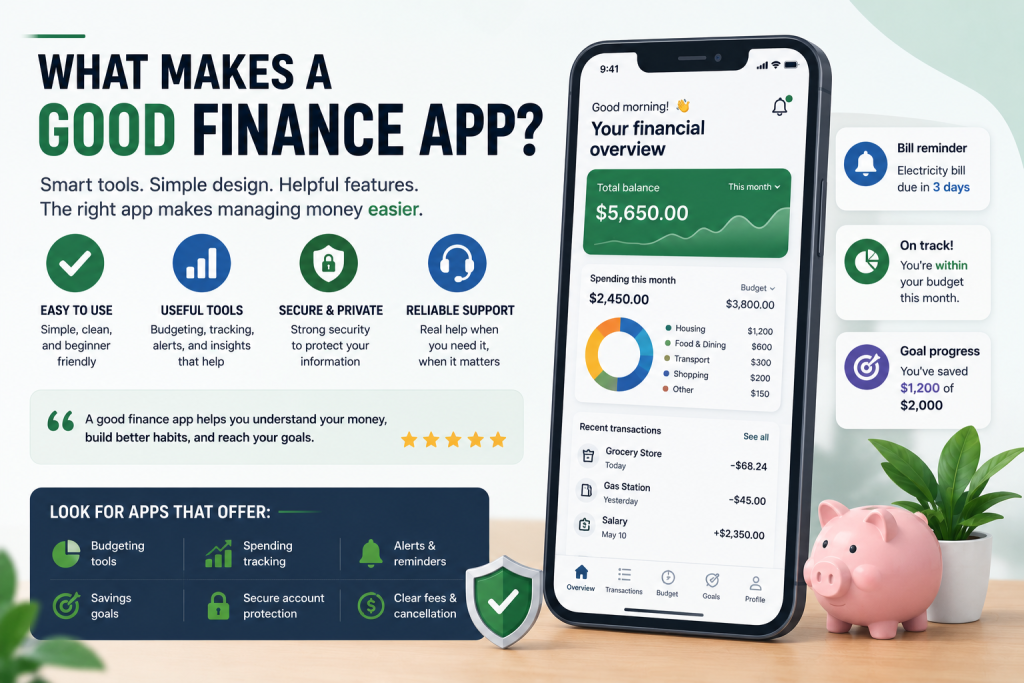
Finance apps can be helpful tools for managing money, tracking spending, creating budgets, reviewing transactions, setting savings goals, and staying organized.
For beginners, a good finance app should make money management easier, not more confusing.
Many apps advertise smart tools, automatic tracking, spending insights, savings features, credit monitoring, and bill reminders. However, not every finance app is the right choice for every user.
A good finance app should be simple, secure, transparent, useful, and easy to manage.
This guide explains what makes a good finance app and what beginners should check before signing up.
Why Finance Apps Matter
Finance apps matter because many people manage money digitally.
Instead of using only paper statements or manual notes, finance apps can help organize financial information in one place.
A finance app may help you:
- Track spending
- Create a budget
- Review account balances
- Set savings goals
- Receive bill reminders
- Monitor subscriptions
- Check transactions
- Get alerts
- Understand money habits
- Avoid missed payments
For beginners, the right app can make personal finance easier to understand.
However, the wrong app can create extra costs, confusion, privacy concerns, or unnecessary subscriptions.
That is why it is important to review an app carefully before using it.
A Good Finance App Should Be Easy to Use
Ease of use is one of the most important parts of a good finance app.
If an app is difficult to understand, beginners may stop using it.
A good finance app should have a clean layout, simple menus, clear categories, and easy navigation.
You should be able to find important tools without confusion.
Useful areas should be easy to access, such as:
- Spending summary
- Budget categories
- Account balances
- Savings goals
- Transaction history
- Bill reminders
- Settings
- Security tools
- Subscription details
- Cancellation options
A finance app should not require too much effort just to understand basic information.
For beginners, simple is usually better than complicated.
Clear Fees and Subscription Costs
A good finance app should be clear about costs.
Some finance apps are free. Others charge monthly or annual subscription fees. Some offer a free basic version but charge for premium tools.
Before signing up, check:
- Is the app free?
- Is there a monthly fee?
- Is there an annual fee?
- Is there a free trial?
- What happens after the free trial ends?
- Which features are free?
- Which features require payment?
- Can you cancel easily?
- Are there extra fees?
Common app costs may include:
- Monthly subscription fees
- Annual subscription fees
- Premium plan fees
- Instant transfer fees
- Early access fees
- Credit monitoring fees
- Financial coaching fees
- Account management fees
A good finance app should not hide fees.
If the pricing is unclear, beginners should be careful.
Useful Budgeting and Tracking Tools
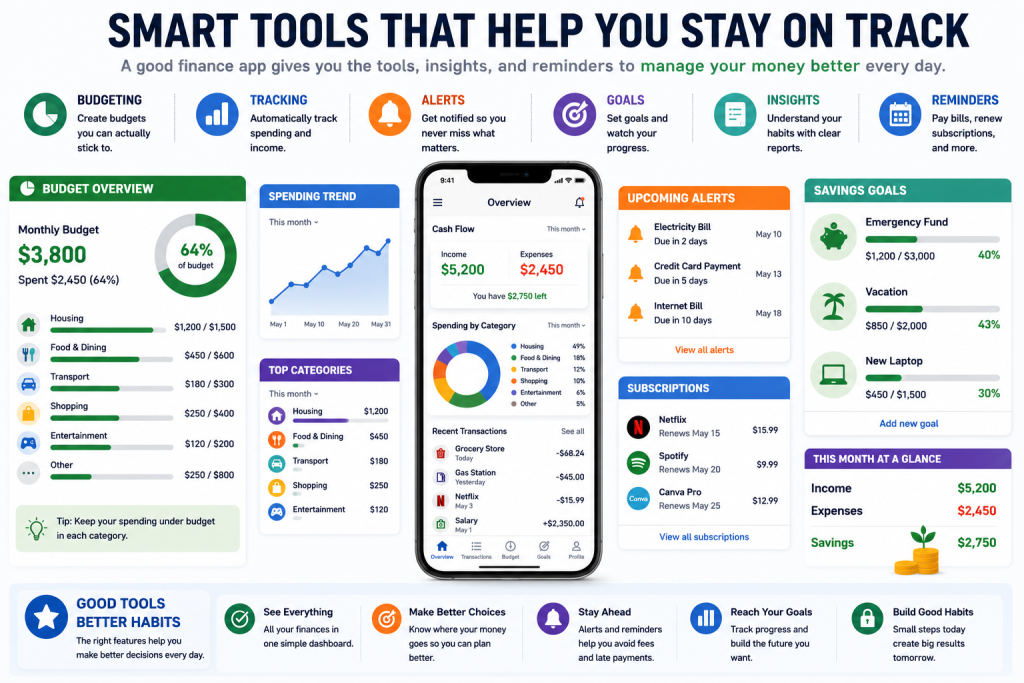
A good finance app should help you understand where your money goes.
Budgeting and tracking tools are especially useful for beginners.
Good budgeting tools may include:
- Spending categories
- Monthly budget limits
- Transaction tracking
- Expense summaries
- Income tracking
- Savings goals
- Charts or reports
- Subscription tracking
- Bill reminders
- Spending alerts
The app should make it easy to see how much money you spend on housing, groceries, transportation, restaurants, subscriptions, shopping, entertainment, and other categories.
Some apps allow automatic tracking by linking accounts.
Others allow manual tracking.
Both can work.
The best option depends on your comfort level and personal habits.
Strong Security Features
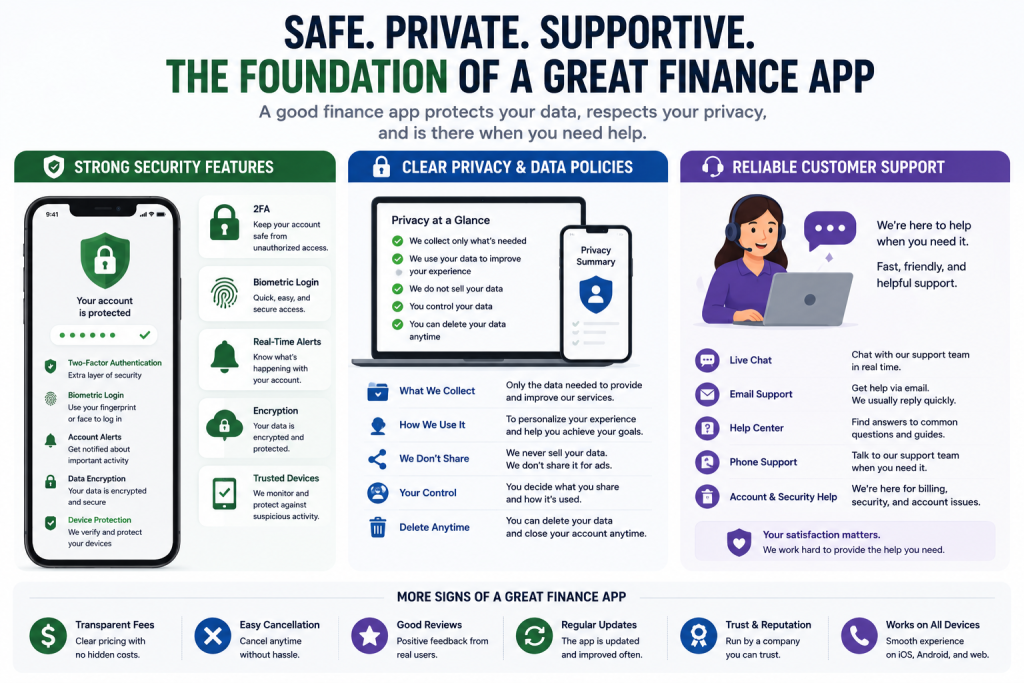
Security is very important for any finance app.
A finance app may handle sensitive information, including your email, phone number, financial accounts, card information, transaction history, and spending patterns.
A good finance app should provide strong security tools.
Look for:
- Two-factor authentication
- Secure login
- Biometric login
- Account alerts
- Device verification
- Data encryption
- Fraud monitoring
- Session timeout
- Password protection
- Card lock tools
- Official app store availability
Security features help protect your account and personal information.
Avoid apps that do not clearly explain how they protect user data.
Clear Privacy and Data Policies
Privacy matters because finance apps may collect personal and financial information.
Before using an app, review its privacy policy.
A good finance app should clearly explain:
- What data it collects
- How your data is used
- Whether data is shared with third parties
- Whether data is used for advertising
- How long data is stored
- How to delete your data
- How to disconnect accounts
- How to close your account
Some apps collect more information than others.
Beginners should be careful with apps that are unclear about privacy or data sharing.
A useful app should also respect your privacy.
Helpful Alerts and Reminders
Alerts and reminders can make a finance app more useful.
They can help you stay aware of bills, balances, spending, and account activity.
Helpful alerts may include:
- Bill due date reminders
- Low balance alerts
- Large transaction alerts
- Subscription renewal reminders
- Budget limit alerts
- Savings goal reminders
- Payment reminders
- Account activity alerts
- Security alerts
These reminders can help beginners avoid missed payments, overdrafts, surprise charges, and budget problems.
A good app should allow you to control which alerts you receive.
Too many alerts can become annoying, while too few alerts may not be helpful.
Easy Account Linking and Controls
Many finance apps allow users to link bank accounts, credit cards, loans, or other financial accounts.
Account linking can make tracking easier because transactions may update automatically.
However, account linking also involves sensitive data.
A good finance app should clearly explain:
- Why account linking is needed
- What accounts can be linked
- What data the app can access
- How account connections are protected
- How to disconnect accounts
- Whether manual tracking is available
- Whether linked data can be deleted
Beginners should only link accounts if they understand the app’s security and privacy rules.
If you are not comfortable linking accounts, choose an app that allows manual tracking.
Reliable Customer Support
Customer support is important because finance apps can involve billing, account access, privacy, and security issues.
A good finance app should provide clear support options.
Support may include:
- Help center articles
- Email support
- Live chat
- Phone support
- Secure messaging
- FAQ pages
- Billing support
- Security support
- Cancellation help
Before paying for an app, check whether support is easy to reach.
Also review common user complaints.
If many users report billing problems, poor support, login issues, or difficult cancellation, that may be a warning sign.
Simple Cancellation Rules
A good finance app should make cancellation simple.
This is especially important for apps with free trials or subscriptions.
Before signing up, check:
- How do you cancel?
- Can you cancel inside the app?
- Do you need to cancel through the app store?
- Will you be charged after the trial ends?
- Are refunds available?
- Can you delete your account?
- Can you remove linked accounts?
- What happens to your data after cancellation?
Some people forget to cancel free trials and get charged later.
Set a reminder before the trial ends if you are testing a paid app.
A finance app should not make cancellation confusing.
Good App Design for Beginners
A beginner-friendly finance app should explain information clearly.
It should avoid unnecessary complexity and confusing language.
Good app design may include:
- Simple dashboard
- Clear labels
- Easy transaction categories
- Helpful explanations
- Readable charts
- Simple budget setup
- Easy editing
- Clear settings
- Obvious security controls
- Easy cancellation menu
The app should help you understand your money, not make you feel lost.
A basic app that you use consistently is often better than an advanced app with too many features.
Useful Reports and Spending Insights
Good finance apps often provide reports or insights.
These can help you understand your habits and make better decisions.
Useful reports may show:
- Monthly spending
- Category spending
- Income vs expenses
- Savings progress
- Subscription costs
- Cash flow
- Budget progress
- Debt payment progress
- Spending trends
Reports should be easy to understand.
The goal is not just to show numbers.
The goal is to help you make better money decisions.
For example, an app may show that restaurant spending increased this month or that several subscriptions are renewing soon.
These insights can help you adjust your budget.
Good Finance Apps Should Not Encourage Bad Habits
A finance app should support better money habits.
Be careful with apps that constantly encourage borrowing, spending, upgrades, or paid services that do not fit your needs.
Some apps may promote:
- Cash advances
- Buy-now-pay-later offers
- High-fee services
- Premium upgrades
- Unnecessary subscriptions
- Frequent borrowing
- Risky financial products
These features are not always bad, but beginners should review them carefully.
A good app should help you understand your money and make thoughtful decisions.
It should not pressure you into spending or borrowing more than necessary.
Common Beginner Mistakes
One common mistake is choosing a finance app only because it looks popular.
A popular app may not fit your needs.
Another mistake is signing up for several apps at once.
This can become confusing and hard to manage.
Some beginners forget to check subscription fees.
Others link bank accounts without reviewing security and privacy.
Another mistake is relying completely on the app without checking accounts directly.
Apps can be useful, but you should still review your bank and card accounts regularly.
Some people also forget to cancel free trials.
A finance app should be helpful, but it should not replace your own awareness.
Simple Checklist Before Choosing a Finance App
Before choosing a finance app, ask:
- Is the app easy to use?
- Does it solve a real problem for me?
- Is it free or paid?
- What fees apply?
- What features are included?
- Does it help with budgeting or tracking?
- Does it have strong security?
- What data does it collect?
- Can I use it without linking accounts?
- Can I disconnect accounts later?
- Is customer support available?
- Can I cancel easily?
- Do reviews show common problems?
- Does it fit my habits?
If you cannot answer these questions, take more time before signing up.
Final Thoughts
A good finance app should make money management easier for beginners.
The best finance apps are simple, clear, secure, transparent, and useful.
Before signing up, review ease of use, fees, budgeting tools, security, privacy, account linking, alerts, customer support, cancellation rules, and user reviews.
Do not choose an app only because it looks modern or popular.
Choose an app that fits your real financial needs and helps you build better money habits.
For beginners, the right finance app is the one you can understand, trust, and use consistently.
Disclaimer
The information in this article is for educational purposes only and should not be considered financial, legal, tax, credit, banking, loan, investment, cybersecurity, or privacy advice. Finance app features, fees, subscription terms, security tools, privacy policies, account linking rules, customer support options, and cancellation policies may change over time. Always review the official terms, privacy policy, and disclosures from the app provider before signing up for or using any finance app. If you have questions about your personal financial situation, consider speaking with a qualified professional.
Leave a Reply